Desktop app · free and open source

jsonquery for the desktop

This site's query engine as a native app. Open JSON files far bigger than a browser tab can hold, ask them questions in jq, JSONPath, JMESPath or JSON Pointer, and merge, diff, patch and validate documents. Everything happens on your computer, and nothing needs a network.

Get the appSee the source on GitHub

  • Linux and Windows
  • MIT licence
  • Built in Rust
  • No account, no telemetry
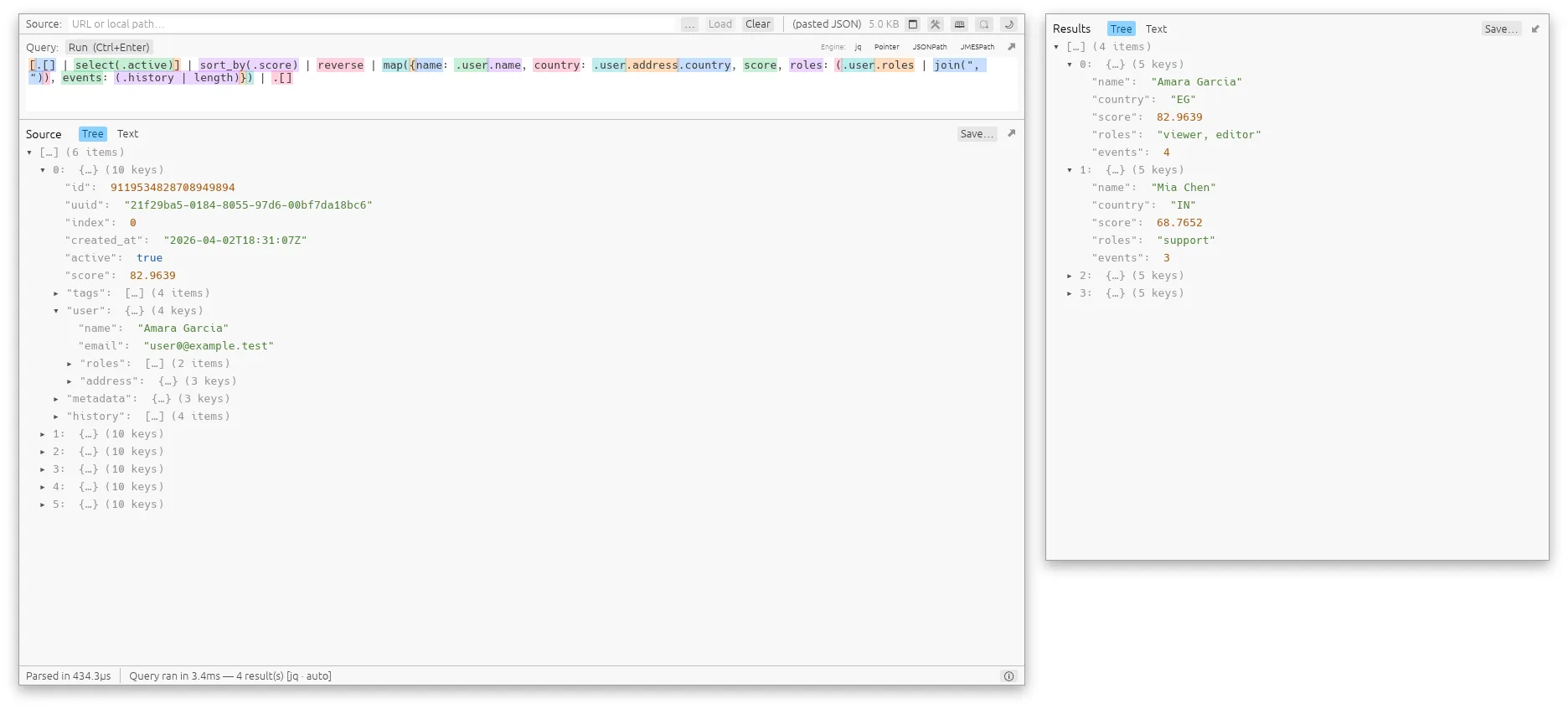
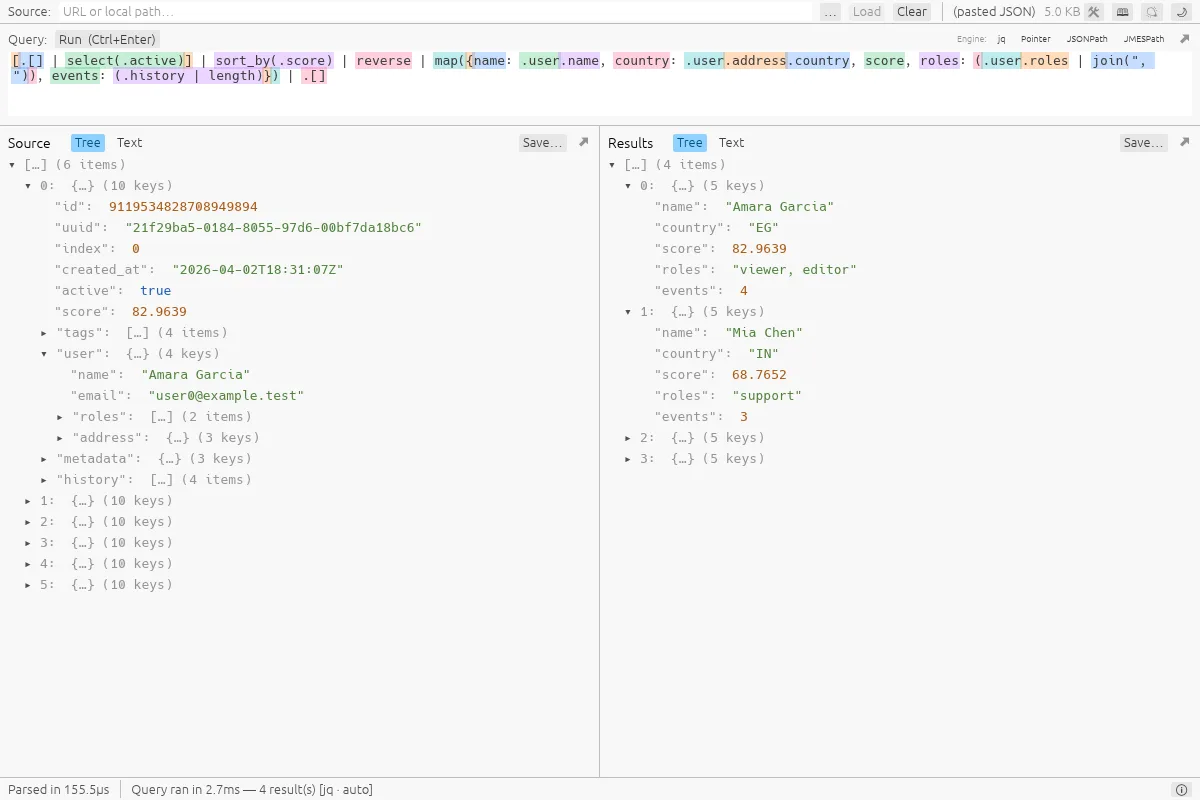
The jsonquery desktop app: a jq query over a list of users with each step of the query tinted in its own colour, the source document and the results side by side as trees.

Why a desktop app, when the site does the same?

The site is for a quick question about a document you can paste. The app is for the files that do not fit in a tab, and for people who would rather keep their data off the network altogether.

Files of any size

A file of 256 MiB or more is not loaded into memory: it is mapped, indexed once and read as you look at it, so a gigabyte of JSON takes megabytes, not ten times its size. Queries stream, first(…) and limit(…) really stop early, and a new query cancels the one before it.
Private by design

Your files are read from your disk and never uploaded. The app has no accounts, no analytics or telemetry, no advertising and no update check of its own. The one request it ever makes is for a web address you type into its Source field.

Four languages, one box

jq (with @csv, @tsv, IN, JOIN and tostream added), JSON Pointer, JSONPath (RFC 9535) and JMESPath. Pick one or let the app tell from what you type.

Numbers stay exact

Snowflake IDs and Postgres bigints come out of a query byte for byte, instead of being rounded through a floating-point number on the way.

A look around

See the shape of a query

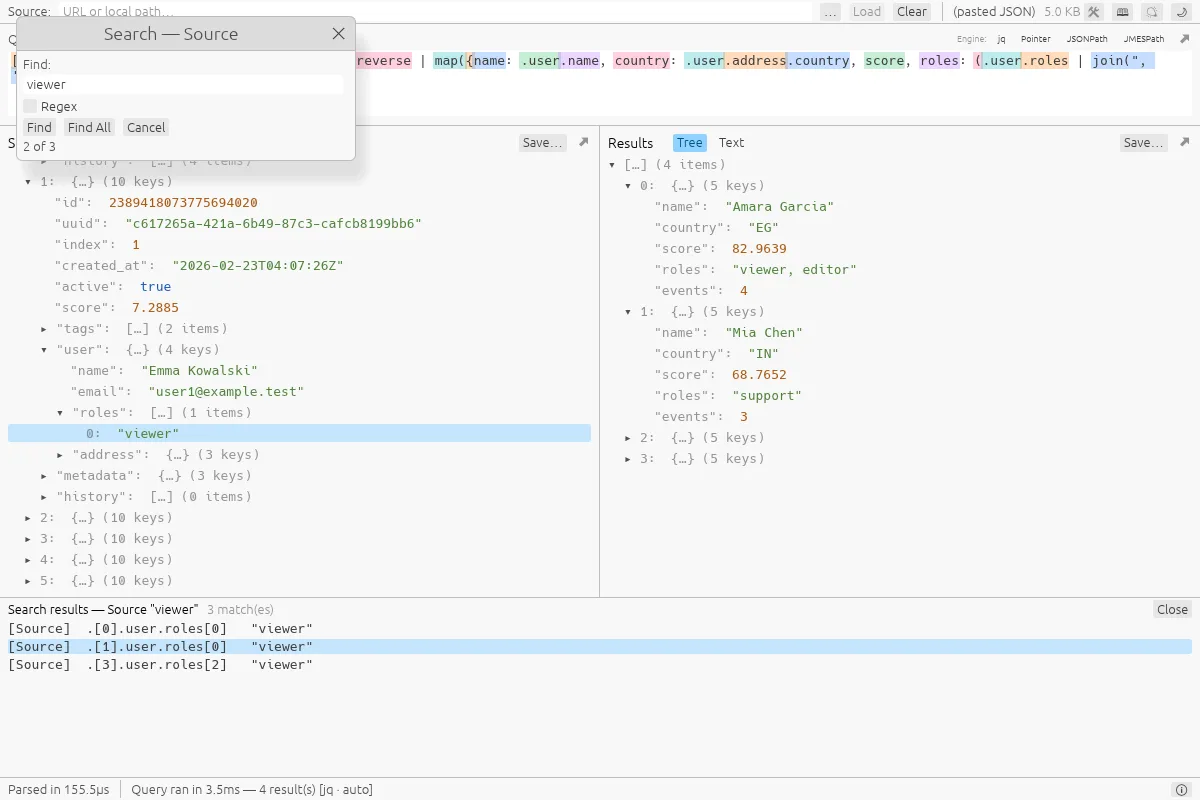
Each step of a query is tinted in its own colour, in the same palette as the tutorial, so a long pipeline reads at a glance. Results stream into a tree you can fold or into plain text you can copy. Press Ctrl+F to find, list every match with Find All, or right-click a result to see where in the source it came from.

The Find dialog and its Find All list, with the selected match revealed in the source tree.

Autocomplete that has read your document

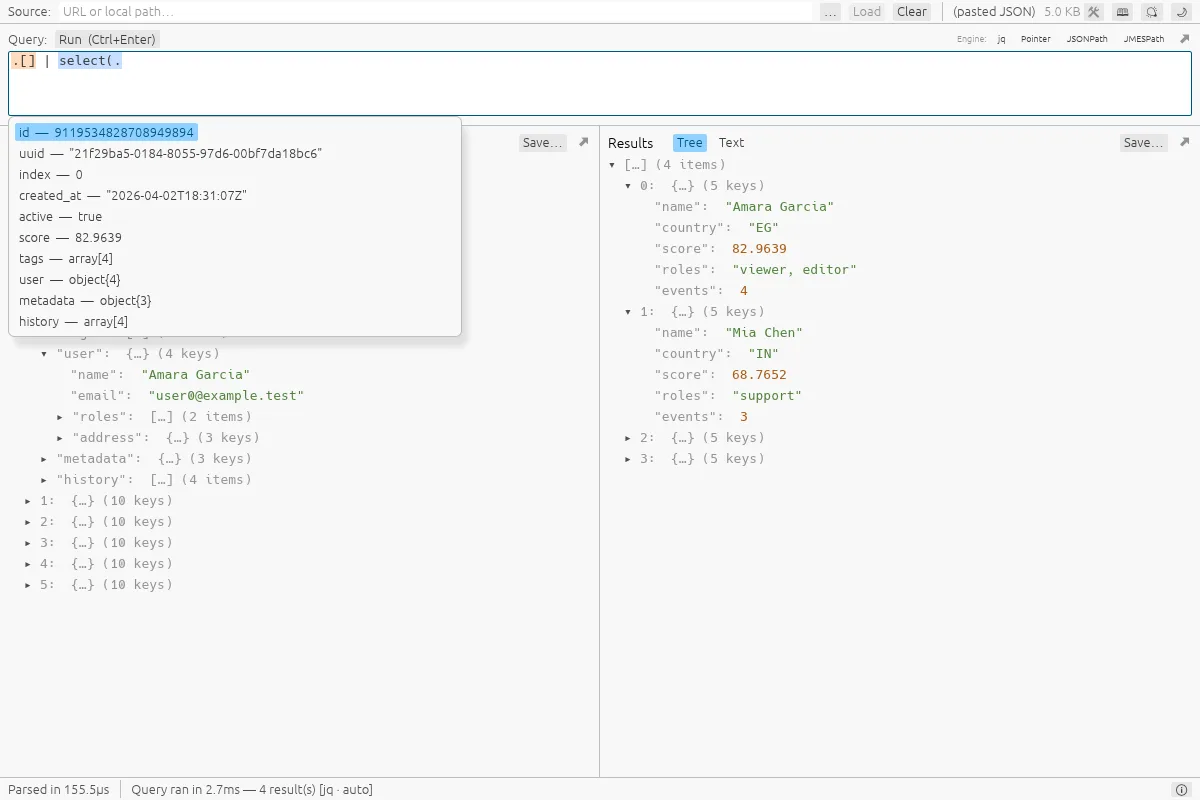
Type . or [ and the app offers the keys and positions of the document you loaded, with a sample value beside each. Inside select( it offers the fields of each record. What you accept is spelled for the language you are in, so .["first name"] in jq and $["first name"] in JSONPath.

Autocomplete inside select( offering the fields of each record, with a sample value beside each.

A tutorial that runs

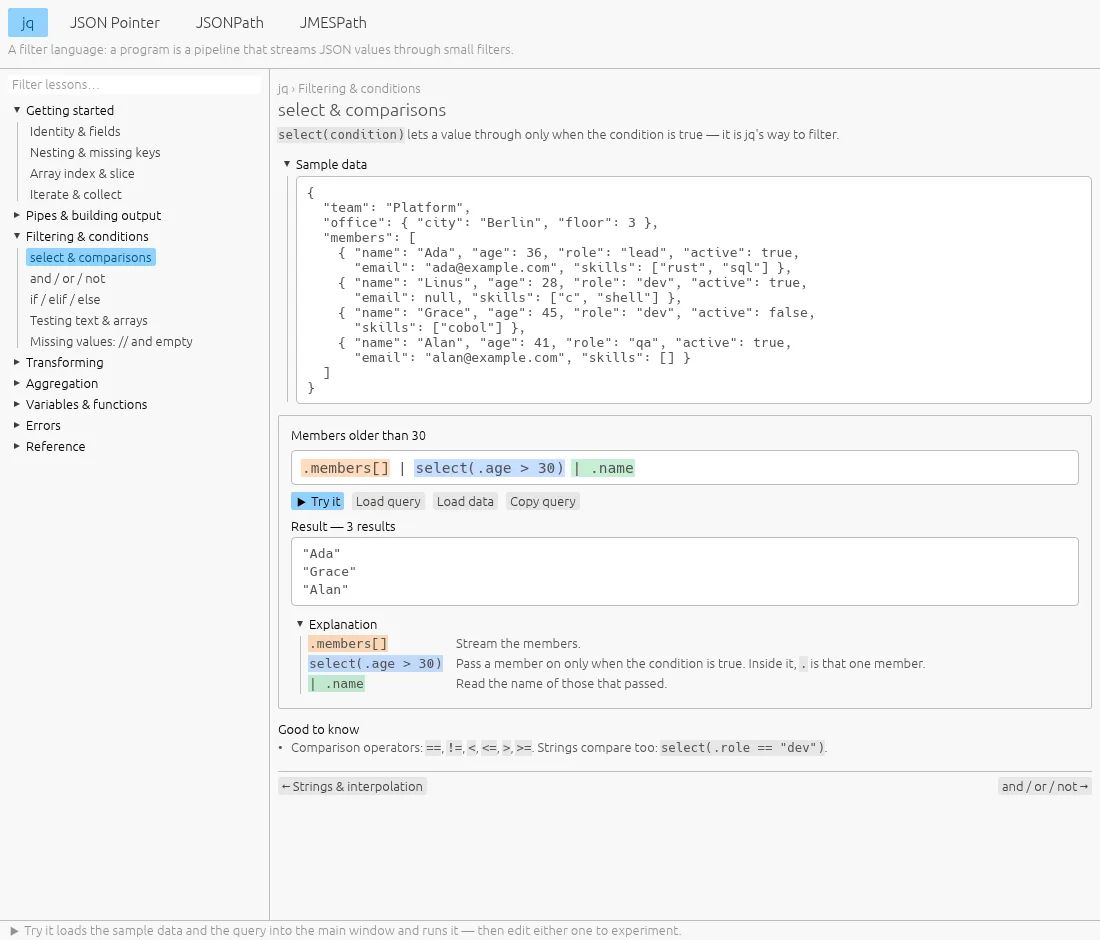
Open it from the toolbar, or press F1. Each of the four languages has a tree of short lessons, every example is taken apart piece by piece with its live result, and Try it loads the example's data and query into the main window so you can change them. The same lessons are on this site, in the Learn section.

The tutorial window on the jq lesson about select: sample data, an example query with its result, and an explanation of each part.

Pop out what you need

The query, the source and the results can each open in a window of their own: a long query on a second monitor, or the results beside a source that has the whole height. Closing the window, or pressing its dock button, puts the pane back.

The Results pane popped out into a window of its own, beside the main window, which gives the Source pane the full width.

Five tools for the documents themselves

The toolbar's Tools window has a tab for each. They share one layout: what goes in on the left, what comes out on the right, and a status bar that says what happened. Each one is also on this site, in your browser, for documents of up to a few megabytes.

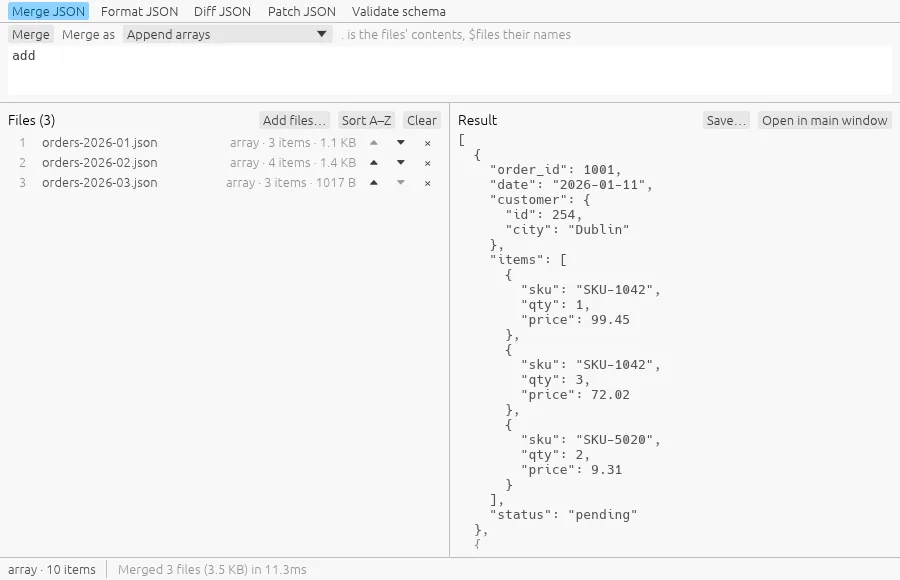
Merge JSON: three monthly order files appended into one array of ten orders.

Merge JSON

Combine several files into one document with a jq filter, the way jq -s does. Ready-made filters append, de-duplicate, deep-merge or bundle by file name; edit one into your own.

Try it in your browser

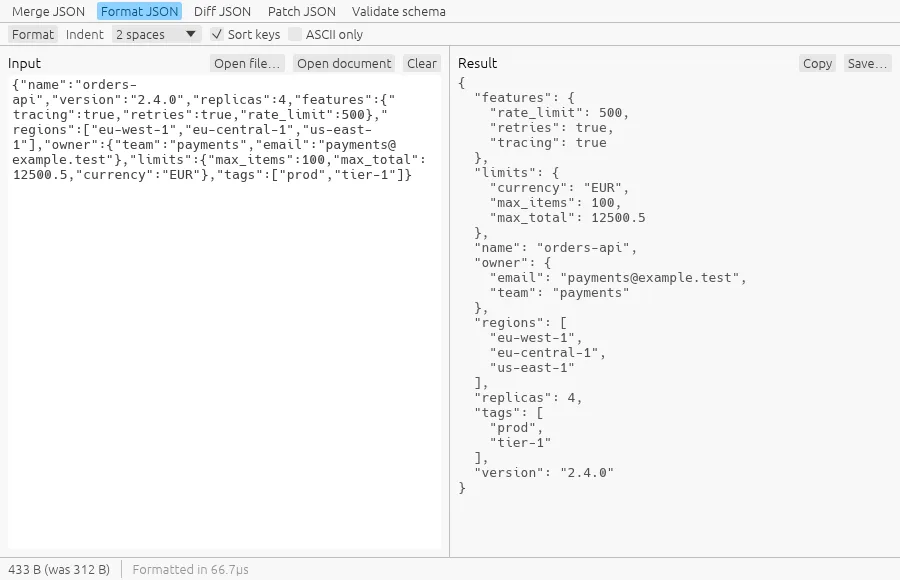
Format JSON: a minified document pretty-printed with its keys sorted.

Format JSON

Pretty-print with 2 or 4 spaces or a tab, minify, sort keys at every depth, escape what is not ASCII. Numbers come out exactly as they went in, however many digits.

Try it in your browser

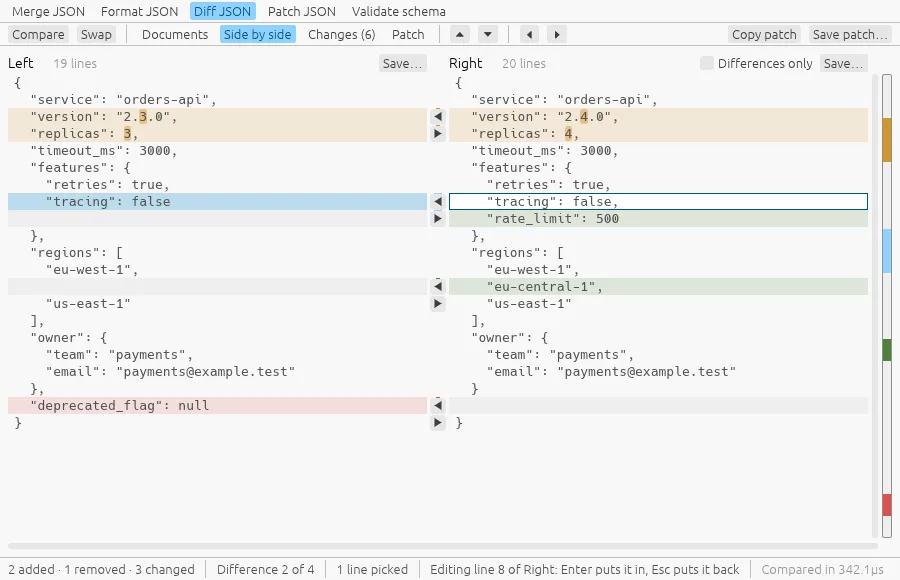
Diff JSON: two versions of a configuration side by side, with the added, removed and changed lines marked, two arrows one over the other between the sides at every difference, a line picked in the left document and, in the right one, the same line with a caret in it and a new value being typed over it.

Diff JSON

Two documents side by side like a file-comparison tool, what differs marked, every change listed with its JSON Pointer, and the RFC 6902 patch that turns one into the other. Move a difference into the other document with a click on its arrow, or only the lines you pick; double-click a line of either side and type over it; and save either document.

Try it in your browser

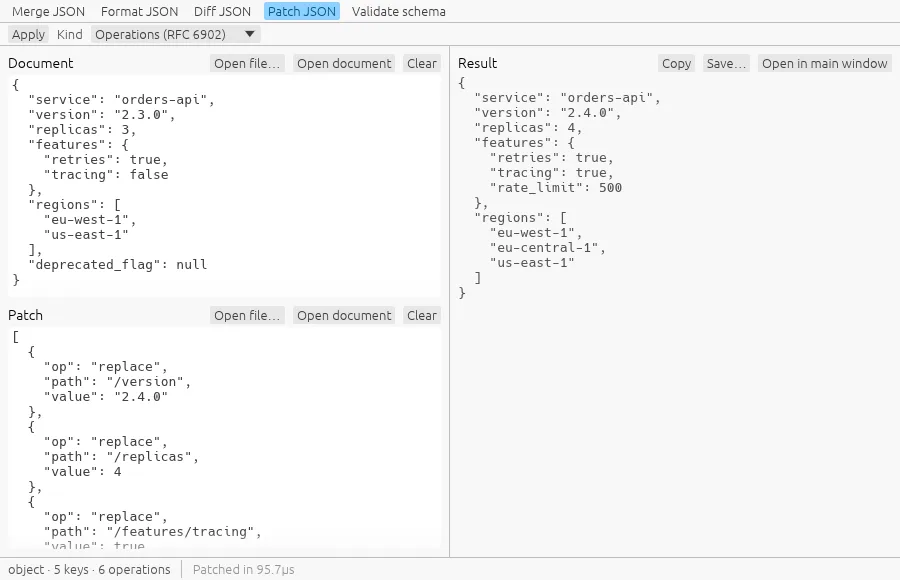
Patch JSON: six operations applied to a document, the result on the right.

Patch JSON

Apply an RFC 6902 JSON Patch or an RFC 7386 merge patch. A patch is all or nothing, and when it fails the error names the operation.

Try it in your browser

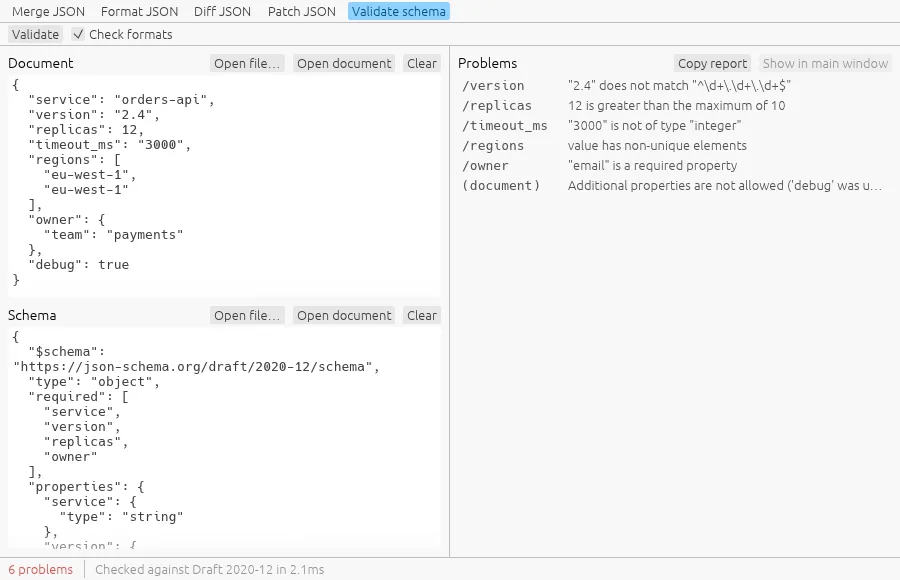
Validate schema: a document checked against a schema, six problems listed with their pointers.

Validate schema

Check a document against a JSON Schema (drafts 4, 6, 7, 2019-09 and 2020-12) and list every problem with its pointer and what is wrong. Nothing is ever fetched.

Try it in your browser

In the browser, or on the desktop

WhatThis siteDesktop app
Where it runsIn a browser tab, on the same engineOn your computer; needs no network
Size of a fileUp to 512 MB (the box edits up to 10 MB)Any size; from 256 MiB it is read from disk, not loaded
Query languagesjq, JSONPath, JMESPath, JSON PointerThe same four, with autocomplete
Merge, diff, patch, validateYes, for documents of a few megabytesYes, for up to 128 MB at once (a setting)
Getting JSON inPaste, drop or pick a fileAlso a web address or a path, several files at once
Keeping thingsNothing is kept: copy or download what you needFiles on your disk, where you choose
Setting upNothingOne command, or a download

Get it

Free, with the source on GitHub under the MIT licence. Pick what suits your system; the commands copy with one click.

Linux: Snap

sudo snap install jsonquery-gui

Also on the Snap Store, for x86-64 and ARM.

Linux: Homebrew

brew tap nujufas/jsonquery-gui
brew install jsonquery-gui

Windows: Scoop

scoop bucket add jsonquery-gui https://github.com/nujufas/scoop-jsonquery-gui
scoop install jsonquery-gui/jsonquery-gui

The program is not code-signed, so Windows SmartScreen may warn the first time it runs.

A download

Each release has an AppImage and a tar.gz for Linux (x86-64 and ARM), and a zip for Windows. The AppImage adds itself to your menu the first time it runs.

macOS builds are not published yet; the app builds from source with cargo run --release -p jsonquery_gui.

On a native Wayland desktop a file cannot be dropped on the window, a gap in the windowing library; the file picker, pasting and the Source field all work, and the README shows the one-click way to start it under X11.

Start with the file that would not open

Download the latest releaseOr try the engine here first

About jsonquery

Query, format and learn JSON with jq, JSONPath, JMESPath and JSON Pointer. It is the engine of the desktop app, run in your browser.

Engine
The desktop app’s, compiled to WebAssembly
Licence
MIT (the engine and the app)
Source
GitHub
Contact
The contact form (private)
Public issues
GitHub
Legal
Privacy policy

Known limitations: a file over 10 MB opens read-only and one over 512 MB does not open here; the desktop app has no such limit.